 YR Menu
QR menu in Uzbekistan
QR menu for cafés
A QR menu for a café works like this: a guest scans the code on the table and your menu opens in the phone browser, with photos, prices and ingredients. No app is needed, and you change prices yourself in a minute.
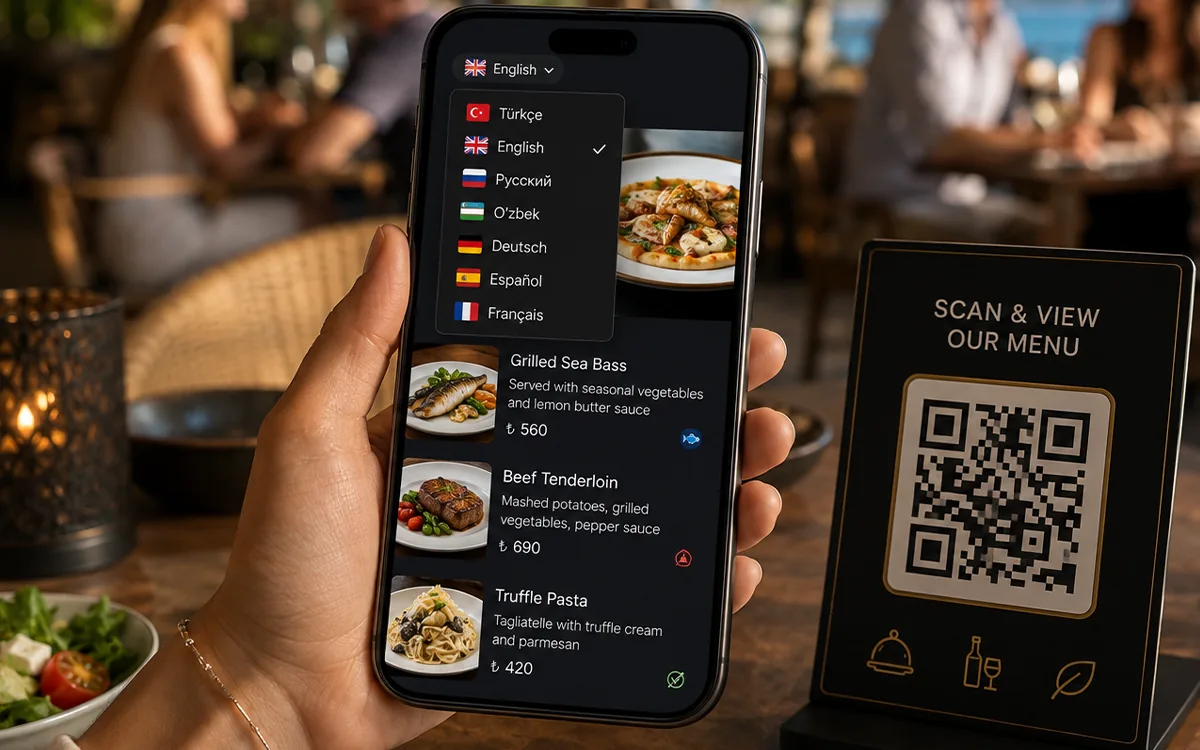
What a café gets
- The menu opens in the guest’s phone browser: no app and no sign-up.
- Change a price or mark a dish as sold out, and guests see it at once. Nothing is reprinted.
- Each dish can have a photo, ingredients, allergens and calories.
- Guests switch the language themselves: 1 language on Free, 3 on Starter, unlimited on Pro.
- 10 ready-made menu designs on every plan, and 22 on Pro.
You do not have to type the menu
Send a photo of your paper menu on Telegram and we set up your first menu for you, free of charge, on every plan. After that you edit it yourself from a phone or a computer.
What it costs
The Free plan holds 1 menu language and up to 100 dishes, which is enough for a small café.
Starter costs 145 000 UZS a month or 1 450 000 UZS a year: 3 languages, 180 dishes, your logo, and no “Powered by YR Menu” label.
On any paid plan you pay by Uzcard, Humo or bank card, in UZS.
Good to know before you start
- Keep 2–3 paper menus for guests who prefer them. The QR menu takes the load off them, it does not replace them.
- Ordering from the table and the waiter-call button start on the Pro plan.
- There is no iiko or R-Keeper integration yet.
Questions and answers
Do guests need to install an app?
No. They point the phone camera at the code and the menu opens in the browser.
How fast can a café start?
You can create the menu yourself as soon as you sign up. If we enter the menu for you, it is usually ready within one working day.
Does the QR code change when I edit the menu?
No. The code stays the same, so you print it once and keep editing the menu.
Start with a free menu
Create a free account, or write to us on Telegram and send your menu.