 YR Menu


A menu in 15+ languages
Uzbek, Russian, English, Chinese, Korean and eleven more. The menu opens in the language of the guest's phone — no app needed.
Tashkent office · Tesla Kafa LLC FE
Your guests read the menu in their own language. Send us a photo of your menu — we set it up for you today.
Free plan available. Paid plans from 145 000 UZS a month.

No card, no contract. You will see it today.
Uzbek, Russian, English, Chinese, Korean and eleven more. The menu opens in the language of the guest's phone — no app needed.
Send a photo of your paper menu. The system reads out the dishes and prices itself — no manual typing.
Orders go from the table straight to the kitchen. Online table reservations. All in one subscription.

A guest scans the QR code and the menu opens in the language of their phone — one of 15+ languages, Chinese, Korean and Japanese included. No app, no sign-up.

Send a photo of your paper menu — AI reads out the dishes, descriptions and prices by itself.

Guests choose for themselves and the order goes straight to the kitchen. There are also waiter-call and ask-for-the-bill buttons.

Write a dish once — translations into your other menu languages are prepared automatically. No need to hire a translator.
Tools that come with the menu. Everything in one panel — no separate apps.
While the food is being prepared, guests play one of 8 short games right in the menu. Nothing to download; you switch it on in settings.

A guest asks the menu a question — "Anything vegan?", "Which ones are spicy?" — and AI answers in their language, based on your dishes.
AI fills in calories, protein–fat–carbs and allergens for every dish. You review them; guests see them in their own language.

A one-tap Wi-Fi QR code right in the menu. No more reading the password out at every table.
A waiter call, a bill request, an order or a reservation — every staff member gets an instant notification on their phone, and in Telegram too. Installs from the browser, no app store needed.

See the guests who have ordered: name, number of visits, spend. Get to know your regulars.
Happy guests are guided to leave a Google review; unhappy ones tell you first — with emoji ratings and NPS.

A banner in every menu language, plus a popup with an image, a video or a YouTube clip. You choose the dates and how often it appears.
As a PDF, image, Excel or Word file, straight from the panel. Our team enters every dish, price and description, usually within one business day. You review it and the menu is ready. Available on every plan.
What gets viewed most, what sells, and when. Several branches — one account, one brand.

List the delivery services you work with (Yandex Eats, Uzum Tezkor, Express24…). Guests get an "Order delivery" button in the menu that opens your page on each of them, so a guest who found you by QR or Google can order from home too.
Guests send their order to your WhatsApp straight from the menu, for delivery or pickup.
Every table gets its own code, so each waiter call, bill request and order shows exactly which table it came from.
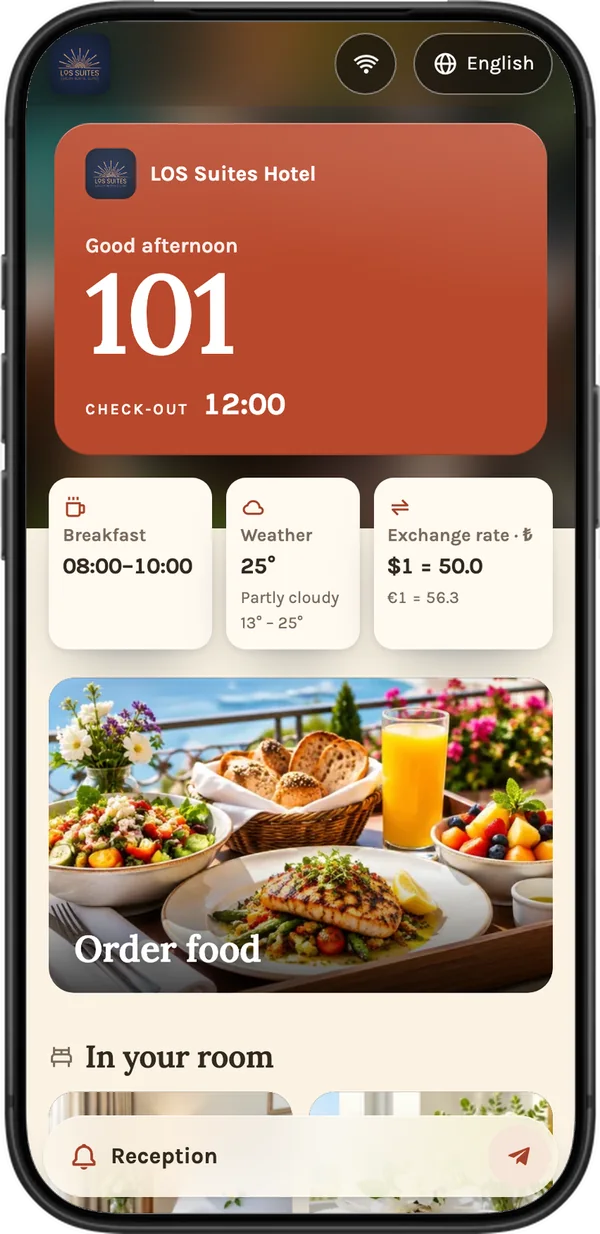
For hotels
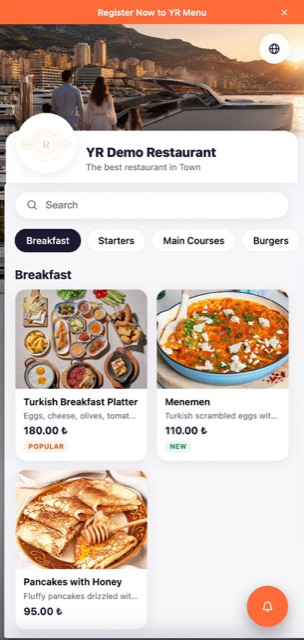
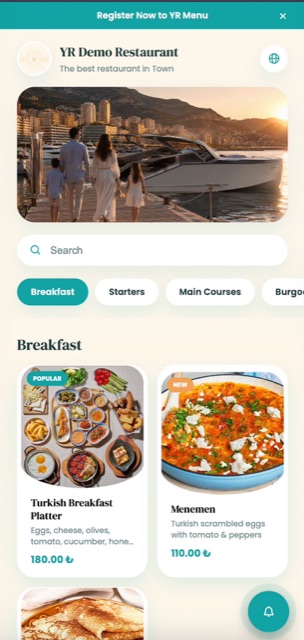
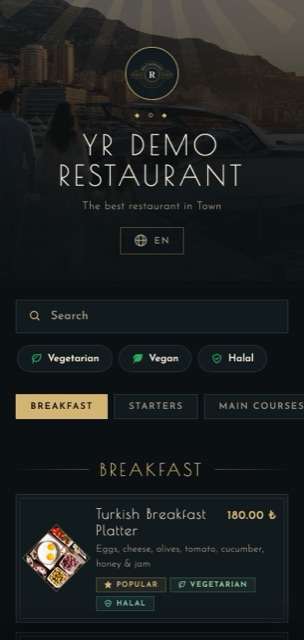
Pick a template that fits your restaurant's or café's style and match the colors to your brand. No designer needed.

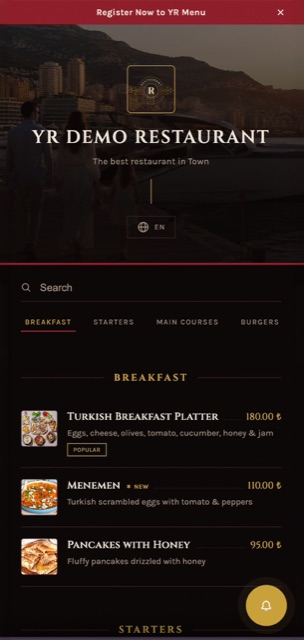
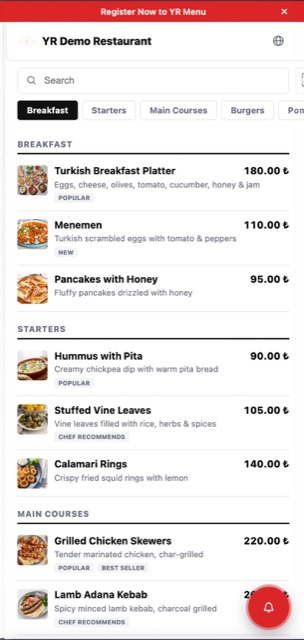
When a foreign guest cannot understand the menu, they pick the cheapest dish or do not order at all. When the menu is in their language, they order more on their own. One QR, 15+ languages — Chinese, Korean and Japanese included — no interpreter needed.
See the live demoWe do. You send a photo of your paper menu on Telegram and we set up your first menu — free of charge.
No. They scan the QR code and the electronic menu opens in the browser.
Most can, but not all. That is why we recommend keeping 2–3 paper menus — the QR does not replace them, it takes the load off them.
By Uzcard, Humo or bank card via Atmos. For yearly plans we also accept a bank transfer in UZS to our account in Uzbekistan.
Not yet. If sending tickets to the kitchen printer is a must for you, we will tell you up front.
We run Google Analytics only with your consent, to understand how the site is used. If you decline, the site still works fully. Cookie Policy